Last updated: July 11, 2026
Independent informational guide
FreeTabletBenefit.com is not a government agency, Lifeline provider, carrier, or device distributor. Use official or verified provider pages before submitting personal information.
Do You Need a Data Plan for a Tablet?
A Wi-Fi-only tablet does not need a separate cellular plan, but it must connect through home internet, public Wi-Fi, or a mobile hotspot. A cellular-enabled tablet generally needs a compatible SIM or eSIM and an active provider data plan.
Before choosing an offer, confirm whether the tablet is Wi-Fi only or cellular-enabled. Also check the amount of high-speed data, reduced-speed limits, hotspot access, network coverage, activation costs, and whether the plan is available at your ZIP code.
An "unlimited data" label does not always mean unlimited high-speed data. Providers may apply speed reductions, network management, hotspot limits, video restrictions, or other usage conditions. Always review the current provider terms before applying or paying a fee.
Can you get a free tablet with unlimited data in 2026?
- Lifeline is active in 2026.
- ACP ended on June 1, 2024.
- Tablet availability is separate from service eligibility.
- Unlimited data may still have speed, hotspot, or usage limits.
- Some tablets may be Wi-Fi only.
- EBT/SNAP and Medicaid may help prove eligibility.
- Provider data terms can change.
- One Lifeline benefit per household may apply.
- Avoid fake unlimited data tablet claims.
Who this page helps
This page helps users searching for free tablets with data, Lifeline tablet plans, low-income tablet internet options, EBT or Medicaid tablet offers, and free government phone and tablet unlimited data searches.
It is also useful for caregivers, students, seniors, veterans, and families who need a tablet for school, telehealth, benefits, jobs, video calls, or email.
What does unlimited data really mean?
Unlimited does not always mean unlimited high-speed data. A provider may use unlimited wording while still applying network management, lower speeds after a threshold, video quality limits, hotspot limits, or deprioritization during busy network times.
That does not mean every data plan is bad. It means you should read the provider plan terms before applying. Look for the amount of high-speed data, what happens after that amount is used, whether hotspot is included, whether video streaming has limits, and whether the tablet itself can use mobile data.
If a page only says free tablet unlimited data but does not explain speed, coverage, device type, or hotspot rules, slow down and look for clearer terms. The ACP tablet program update can help you avoid old ACP-only data and tablet claims.
Who may qualify for a tablet with data?
Eligibility often starts with Lifeline, a provider offer, or a local low-income internet or device program. SNAP, EBT, Food Stamps, Medicaid, SSI, Federal Public Housing Assistance, Veterans Pension, Survivors Benefit, Tribal programs, or income eligibility may help prove that a household qualifies.
Proof of eligibility does not decide the exact tablet or data plan. Provider availability, device inventory, coverage, and current terms still matter.
| Eligibility route | How it may help | Proof usually needed | Data/tablet availability note |
|---|---|---|---|
| SNAP/EBT | SNAP is an accepted Lifeline eligibility route, and EBT may help document SNAP participation | SNAP benefit letter, benefits portal proof, or EBT documentation where accepted | May support eligibility, but data and tablet terms depend on provider availability |
| Food Stamps/SNAP | Food Stamps is the common name for SNAP | SNAP award letter, renewal letter, or state benefits portal proof | A benefit letter can help, but it does not promise a data tablet |
| Medicaid | Medicaid can support program-based Lifeline eligibility | Medicaid card, approval letter, renewal letter, or portal proof | Provider data plan and tablet inventory still vary |
| SSI | Supplemental Security Income is an accepted Lifeline route | SSI award letter or current benefits statement | Can support eligibility, not a specific tablet or plan |
| Income-based Lifeline eligibility | Households may qualify by income tied to Lifeline limits | Pay stubs, tax return, unemployment proof, or Social Security statement | Income proof does not decide provider data terms |
| Federal Public Housing Assistance | FPHA can support Lifeline eligibility | Housing assistance letter or official program document | Service may be available even when tablet inventory is not |
| Veterans Pension or Survivors Benefit | These VA benefits can support Lifeline eligibility | VA benefit award letter or benefits statement | Tablet and data terms depend on provider offers |
| Tribal programs | Some Tribal programs can support Lifeline and enhanced support | Tribal TANF, BIA General Assistance, FDPIR, or Tribal Head Start proof | Rules and providers can differ by location |
| Provider-specific data/tablet promotions | A provider may attach a device or data offer to service | Lifeline approval plus provider forms and plan terms | Promotions can change, include fees, or limit speeds |
| Nonprofit device or internet programs | Local programs may help with refurbished tablets, hotspots, or internet access | Income, student, senior, veteran, or need-based proof | Not a federal tablet benefit and supply may be limited |
How do Lifeline and data plans fit together?
Lifeline can support eligible phone or internet service. It is active in 2026 and is overseen by the FCC and administered by USAC. Eligibility may be checked through the National Verifier or a state Lifeline process.
Data plan details depend on the provider. One provider may focus on phone data, another may include a tablet option, and another may offer service only. A tablet device is separate from service eligibility, so Lifeline approval by itself does not promise a tablet or a specific data amount.
Some plans may support phone data but not direct tablet data. Other tablet offers may involve a Wi-Fi-only tablet that uses home internet or hotspot access. Read our Lifeline tablet with data guide for more context on Lifeline and provider device offers.
Can EBT or SNAP help with unlimited data tablet searches?
EBT/SNAP may help prove eligibility because SNAP is an accepted Lifeline qualifying program. The EBT card is often connected to SNAP benefits, and a recent SNAP benefit letter or state portal proof may be stronger than a card photo alone.
EBT or SNAP does not include unlimited data or a tablet by default. It may help with eligibility verification, while provider terms decide whether a tablet is available, whether it uses mobile data, and what data limits apply.
For more detail, use the free tablet with EBT guide, the free tablet with Food Stamps guide, and the application documents checklist checklist.
Can Medicaid help you qualify for a tablet with data?
Medicaid may help prove program-based Lifeline eligibility. A Medicaid card, approval letter, renewal letter, or benefits portal proof may be useful when the provider or verifier requests documents.
Provider data and tablet terms still vary. Medicaid proof can support eligibility, but the provider decides current service plans, tablet inventory, fees, shipping, activation, replacement rules, and whether the tablet can use mobile data.
See the free tablet with Medicaid and data eligibility guide for a deeper explanation of Medicaid proof.
Can you get a free government phone and tablet with unlimited data?
Some users search for both a phone and tablet with unlimited data. Phone service, tablet offers, and data terms are separate. One Lifeline benefit per household may apply, so do not assume that multiple devices or multiple service lines are included.
A provider may offer phone service with data, a separate tablet option, a phone plus discounted tablet, or service only. Check whether the data applies to the phone, the tablet, a hotspot, or the whole account.
Our free government phone and tablet unlimited data guide explains how phone and tablet searches fit with Lifeline provider offers.
What data plan terms should you compare?
Data plan wording can be confusing, especially when the word unlimited appears near a free tablet offer. Use the table below to compare the real terms before you submit an application.
| Term to check | What it means | Why it matters | Warning sign |
|---|---|---|---|
| High-speed data amount | The amount of data before speeds may change | A plan with enough high-speed data is more useful for video calls, school portals, and job searches | The page says unlimited but never lists any high-speed data details |
| Unlimited data wording | Marketing language that may still include limits | You need to know what unlimited covers and what can slow down | No explanation of speed, fair use, or network management |
| Hotspot access | Whether the tablet or phone can share internet with another device | Hotspot can help a laptop, school device, or second tablet connect | The ad mentions data but hides hotspot limits |
| Throttling or reduced speeds | Speeds may slow after a data threshold or heavy use | Reduced speed can affect video, telehealth, downloads, and forms | No threshold or speed policy is shown |
| Video streaming limits | Video may be limited to lower quality on some plans | Streaming quality affects classes, appointments, and video calls | Video limits are buried or unclear |
| Tablet mobile data support | Whether the tablet can connect to cellular data | A mobile-data tablet can work away from Wi-Fi if the plan supports it | The device is shown as a tablet but connectivity is not explained |
| Wi-Fi only tablet | A tablet that needs Wi-Fi and does not use cellular service directly | It can work with home internet, public Wi-Fi, or hotspot lending | The page implies mobile data but ships a Wi-Fi-only device |
| Coverage area | Whether the provider network works where you live | A data plan is only useful if coverage is reliable | No ZIP code or coverage check is offered |
| Plan renewal or recertification | Whether you need to keep eligibility current | Missed recertification can affect service | No renewal rules are explained |
| Replacement or lost device rules | What happens if the tablet is damaged, lost, or stolen | Replacement costs can matter | No support path is listed |
How to apply safely for a tablet with data
Use these steps before you apply for a free tablet with internet or data plan language.
- Check eligibility. Confirm whether your household may qualify through SNAP, EBT, Food Stamps, Medicaid, SSI, income, FPHA, VA benefits, Tribal programs, or another accepted route.
- Confirm whether the tablet has mobile data or Wi-Fi only. Check whether the tablet can use cellular data directly or must connect through Wi-Fi, home internet, or a hotspot.
- Compare provider data terms. Review high-speed data, hotspot access, throttling, video limits, coverage, renewal rules, and plan restrictions.
- Gather documents. Prepare proof of identity, proof of address, and proof of eligibility such as a benefit award letter or income proof.
- Check fees, shipping, and activation terms. Look for device cost, shipping cost, activation cost, replacement rules, return rules, and plan costs before submitting.
- Submit only through trusted websites. Use official Lifeline verification pages, verified provider websites, state processes, or known nonprofit program pages.
- Save plan and device terms. Keep copies or screenshots of the plan, data language, device terms, fees, support contact, and confirmation details.
- Track application and shipping status. Watch for eligibility updates, document requests, shipping messages, activation instructions, and recertification notices.
Common mistakes with unlimited data tablet offers
Most problems come from treating ad wording like a full plan document. Check the device, plan, coverage, data policy, and document request before sharing private information.
| Mistake | Why it hurts | Better action |
|---|---|---|
| Believing unlimited means unlimited high-speed data | Many plans can slow speeds after a threshold or under network rules | Read the full high-speed data and speed policy |
| Assuming every tablet has mobile data | Some tablets are Wi-Fi only and need another internet connection | Check whether the device supports mobile data |
| Using old ACP information | ACP ended on June 1, 2024 because funding ended | Use current Lifeline and provider terms |
| Ignoring hotspot limits | Some plans do not include hotspot or include only a small amount | Check hotspot access before relying on it |
| Ignoring throttling terms | Reduced speeds can make video, forms, and downloads harder | Look for speed limits and data thresholds |
| Not checking coverage | A data plan is weak if the network does not work at your address | Check ZIP code and coverage before applying |
| Uploading documents to fake sites | Private ID, EBT, Medicaid, SNAP, or income documents can be misused | Use official verification pages or verified provider websites |
| Assuming EBT or Medicaid guarantees a data tablet | Benefit proof may support eligibility, but provider device and data terms vary | Treat benefits as proof, then compare plan terms |
| Not reading device fees | Some offers may include device, shipping, activation, or replacement costs | Review all costs before submitting |
What is the difference between Wi-Fi only and mobile data tablets?
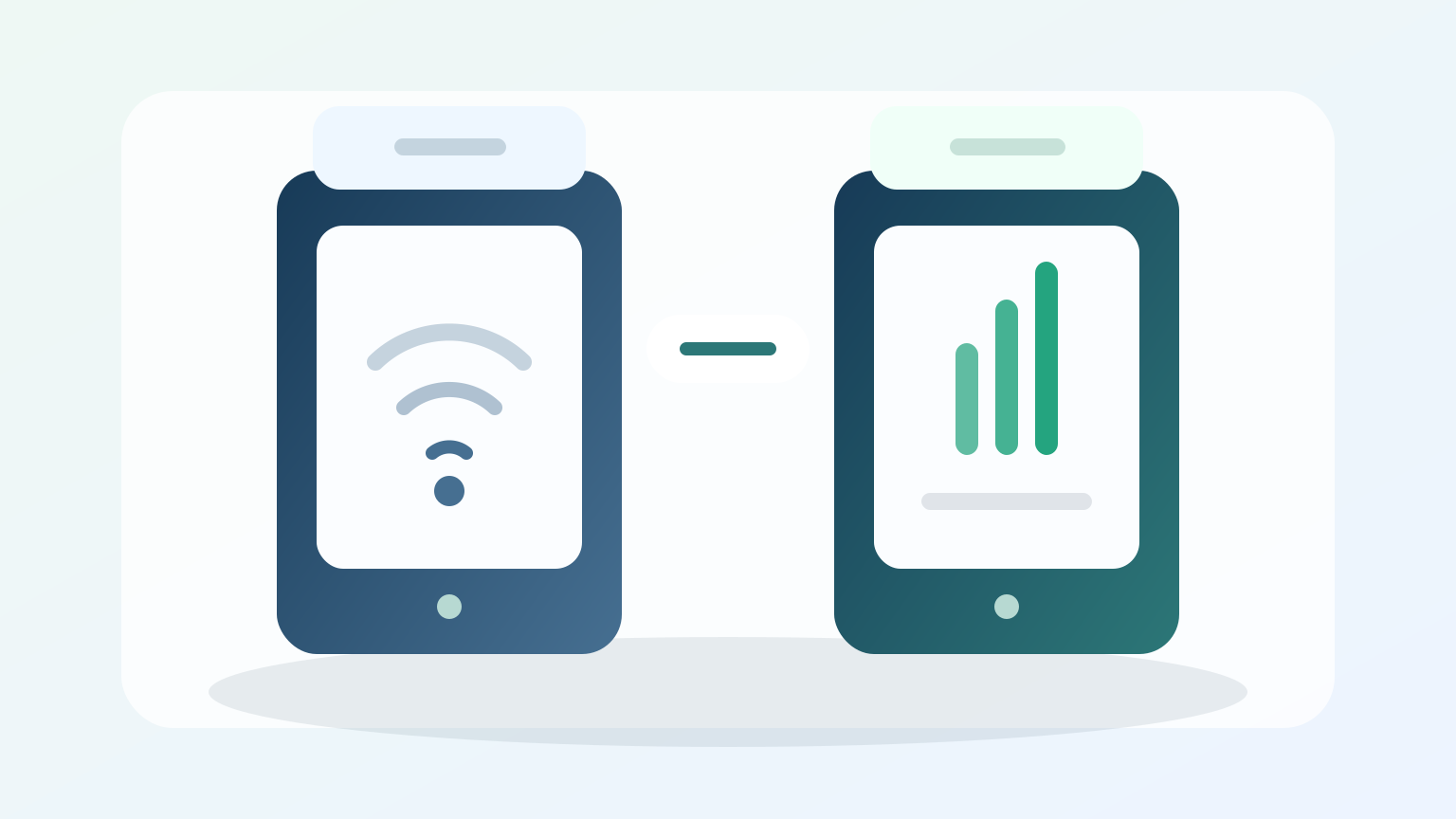
A Wi-Fi only tablet connects to home internet, public Wi-Fi, a library hotspot, a school hotspot, or a phone hotspot if your plan allows it. It does not connect directly to a cellular network on its own.
A mobile data tablet can connect to a cellular network when it has the right hardware, SIM or eSIM support, provider activation, and plan. Even then, the data amount, speed, hotspot rules, and coverage depend on the provider.
If you need a tablet away from home, ask whether the device is Wi-Fi only or mobile-data capable. If it is Wi-Fi only, check whether you can use low-income home internet, a public Wi-Fi location, or a local hotspot lending program.
What if no unlimited data tablet is available?
If no provider has a data tablet available, look at practical alternatives. Lifeline phone or internet support may still help if you qualify. A provider phone service plan with data may help you stay connected, even if the tablet offer is unavailable.
You can also use a Wi-Fi tablet with home internet, public Wi-Fi, or library hotspot lending. Schools, workforce centers, senior centers, and community programs may lend hotspots or provide device support.
Privacy and safety warning
Do not upload ID, Social Security details, Medicaid, EBT, SNAP, or income documents to random social links, message threads, or unknown forms. Check the provider name, website URL, privacy policy, and plan terms. Avoid data promises that skip plan details or claims that skip eligibility review. FreeTabletBenefit.com is an independent informational guide and does not process applications or provide devices.
How should you verify tablet data information?
We check program information against FCC, USAC, LifelineSupport, and public provider information where possible. Provider data plans, speed policies, tablet inventory, and device terms can change, so users should confirm current details before submitting personal information.
Frequently asked questions
Can you get a free tablet with unlimited data in 2026?
Does unlimited data mean unlimited high-speed data?
Can Lifeline give a tablet with data?
Can I get a free tablet with EBT and unlimited data?
Can Medicaid help me qualify for a tablet with data?
Are all free tablets mobile-data tablets?
What is a Wi-Fi only tablet?
Can I get a free government phone and tablet with unlimited data?
Is ACP still available for tablet data plans?
What documents do I need to apply?
How do I avoid fake unlimited data tablet websites?
What should I do if no data tablet is available?
Check eligibility safely
Use the safe apply guide after you compare tablet data terms, gather documents, and confirm the application page is trusted.
Related guides
Start with the homepage hub before comparing tablet data and provider terms.
What changed after ACP ended and which current options to check.
Understand what the phrase means after ACP ended and Lifeline remained active.
How SNAP and EBT can support eligibility proof.
How SNAP proof and benefit letters may support eligibility.
How Medicaid can help prove Lifeline eligibility.
How Lifeline works and where provider tablet offers fit.
Step-by-step guidance for checking eligibility and applying safely.
A checklist for ID, address, benefit, and income proof.
How phone and tablet options may work through provider offers.
Compare provider availability, fees, device terms, and safety signals.
Short answers to common 2026 free tablet questions.